
01
Multi-week planning
Arrange bills across several weeks so upcoming obligations remain visible.
Portable Windows budget planner
Billing Sheet is a portable Windows application for organizing bills, planning payments, and tracking expected income and expenses across multiple weeks.
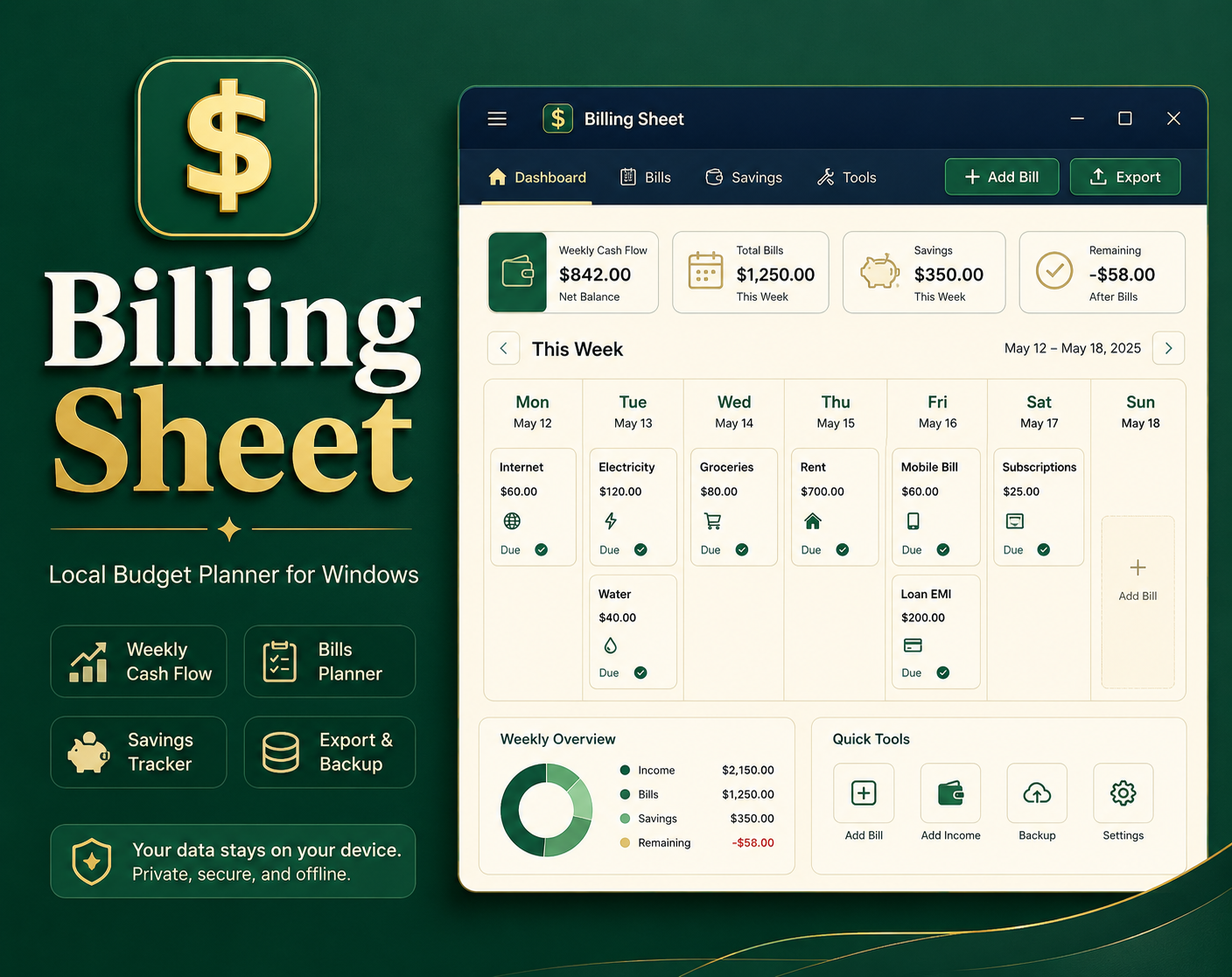
Plan several weeks ahead
Organize expected income, recurring expenses, and individual bills in a clear weekly planner. Billing Sheet makes it easier to decide what should be paid now and what is coming next.
The application opens its interface in your default web browser, but it runs locally on the Windows computer. No PHP installation, external web server, or online account is required.
Billing information is stored inside the application's local data folder rather than being uploaded to an outside service. CSV exports and JSON backups make it easier to keep copies of important records.
Core features
Use one portable local application to manage weekly bills and keep copies of your financial information.
Arrange bills across several weeks so upcoming obligations remain visible.
Record expected money coming in and planned payments going out.
Changes are saved on the computer while you work without an online account.
Export billing data to CSV and create or restore portable JSON backups.
Portable and private
Download the ZIP, extract the entire folder, and double-click BillingSheet.exe.
Use the application's Exit button when finished.
Billing Sheet stores financial information in its local data folder and does
not upload that information to an external server.
Create JSON backups regularly and keep a copy of each backup somewhere safe outside the application folder.
Compatibility
Billing Sheet is a portable 64-bit Windows application that displays its local interface in a modern default web browser.
Pricing and download
Download the portable Windows release from the official Billing Sheet page on itch.io. Extract the complete ZIP folder before starting the application.
Important: Do not run BillingSheet.exe from inside the ZIP file.
Regularly create a JSON backup and keep a copy somewhere safe.
Frequently asked questions
No. The application includes what it needs to run locally. No separate PHP installation or external web server is required.
No. Billing Sheet runs locally and does not require an online account.
Your billing information is stored in the application's local data folder on the computer.
Download the ZIP, extract the entire folder, double-click BillingSheet.exe, and use the Exit app button when finished.
Yes. Billing information can be exported to CSV, and JSON backups can be created and restored.
This application is 100% free, but donations are welcome.